08 Conduct
Evolving sequences and performance gestures
HOME returns to the pattern as you wrote it. A drawn gesture loops and changes how the pattern plays.
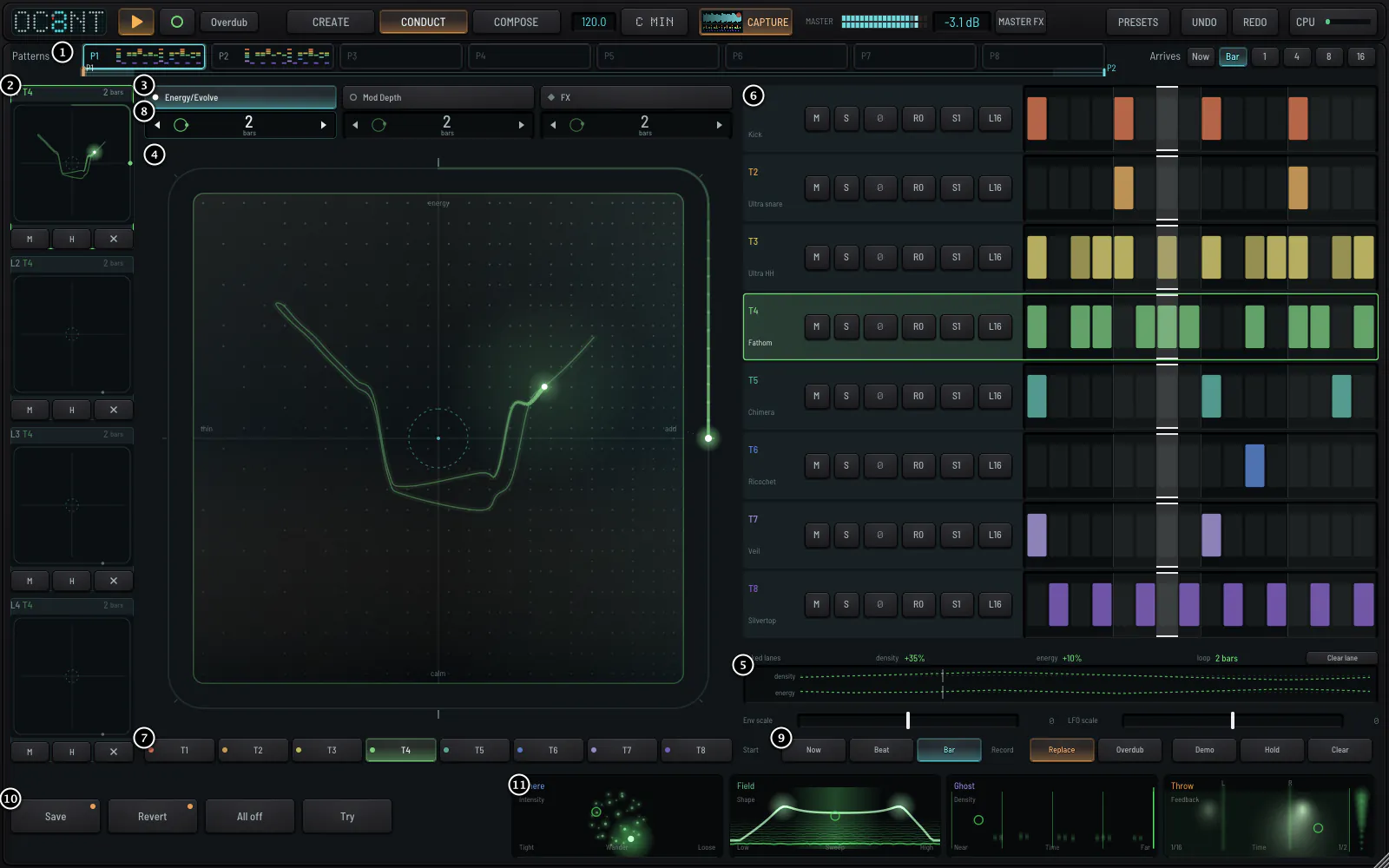
A gesture that is looping is a layer. Nothing changes your pattern until you press Save; Revert always takes you back. CONDUCT starts idle: nothing changes until you draw.
GesturesDrawing a gesture
- Left thins the pattern; right adds to it and evolves it.
- Up is more energy down is calm. The dashed ring at the centre is exactly home.
- Let go and it starts at the next bar and loops.
- Four layers a pad each with its own loop length, so a two-bar gesture can turn against a three-bar one.
PadsPads and effects
Energy / Evolvechanges what is played.
Mod Depthturns the track's own movements up and down.
FXsends the track into four effects, one at each wall.
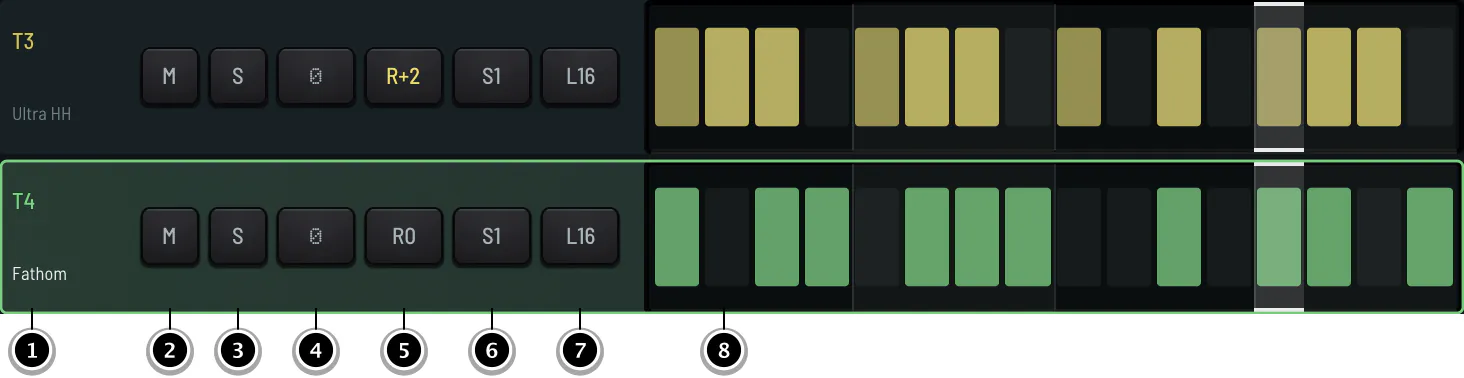
Rowseight rows show what each track plays now: added notes lighter, left-out notes dashed.
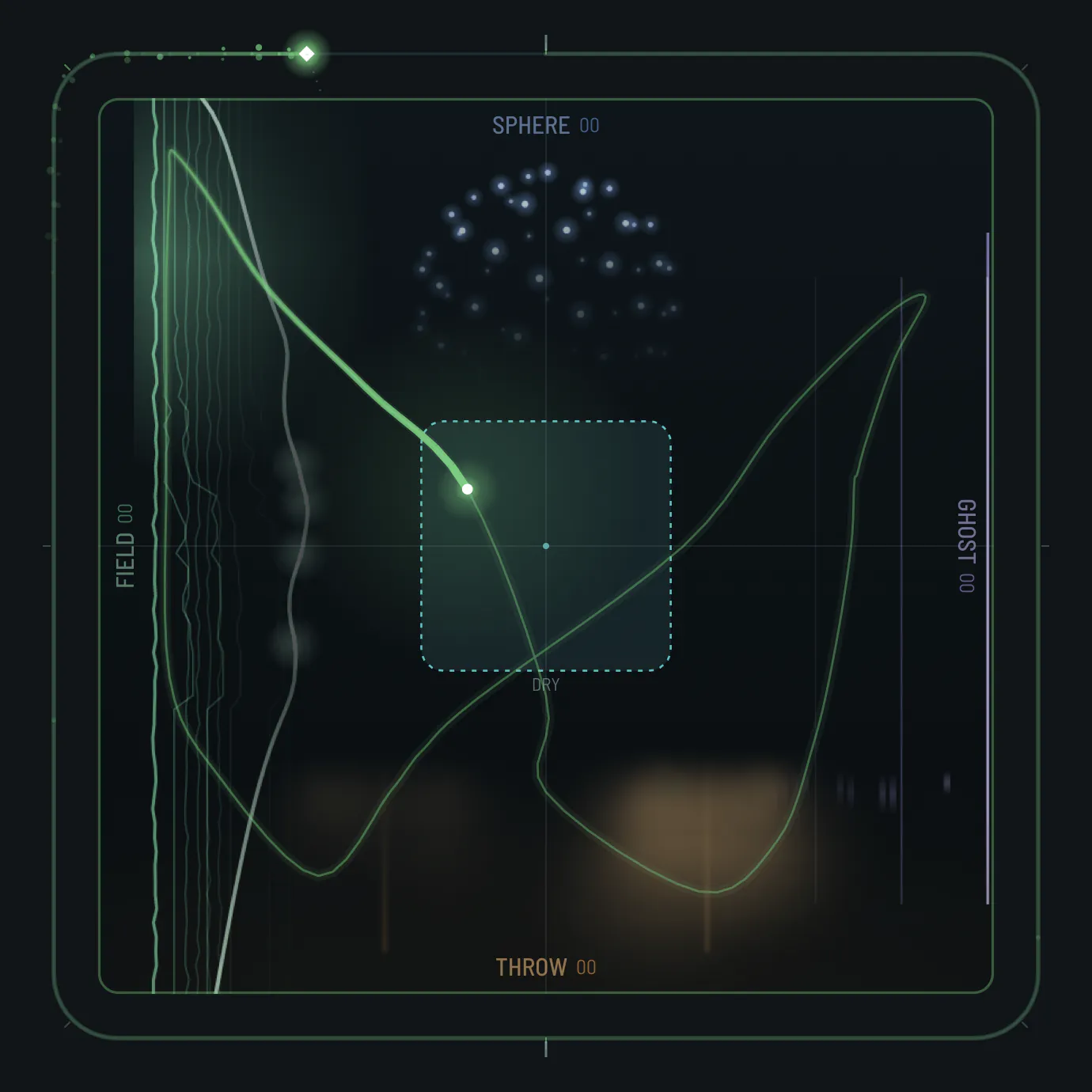
PerformSphere, Field, Ghost, Throw

Sphereplays the last bars again in an order of its own, on the beat.
Fielda moving filter.
Ghostremembered hits brought back as ghosts.
Throwa delay throw, with a smear strip.
On the PushOn the Push
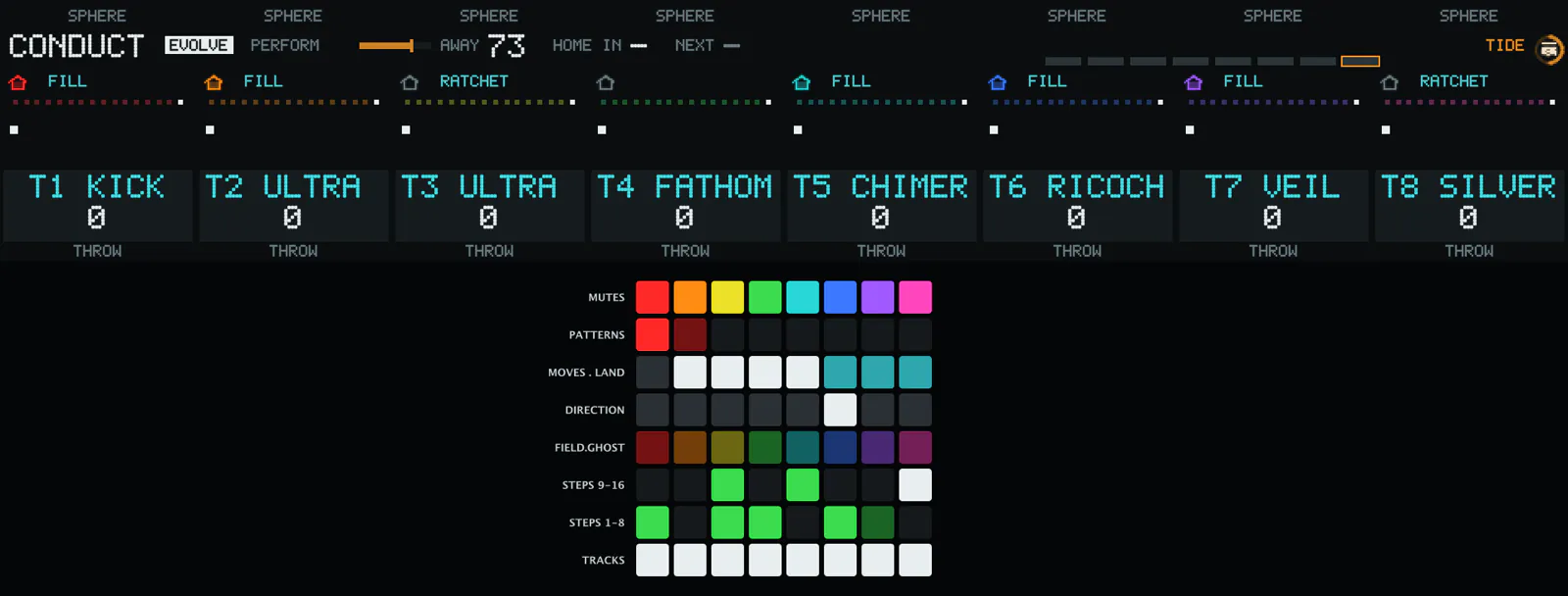
With Auto on, OC8NT plays variations of your pattern by itself in four-bar phrases, and always comes home. Five moves land on a bar line: Tide, Sink, Hollow, Scatter and Turn. HOME puts every track back.