Tracks and steps
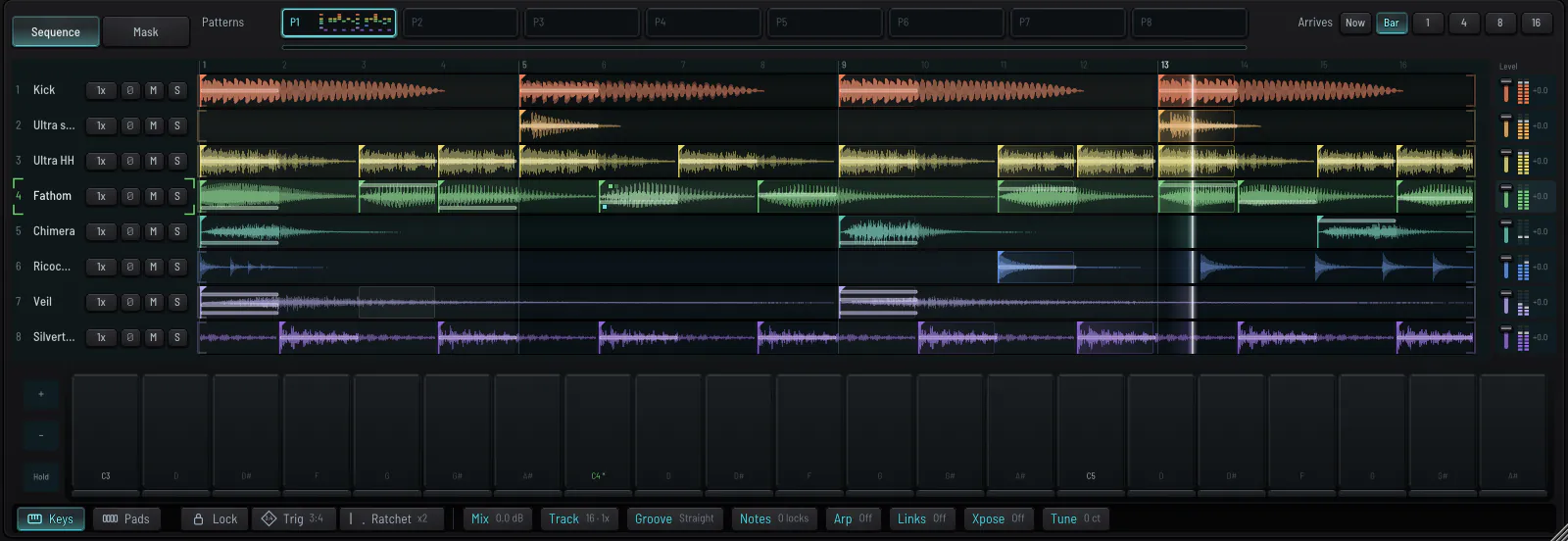
Eight tracks of sixteen steps. Each step is drawn as its waveform. Click a step to place it, drag to set its velocity, point at it for its menu.
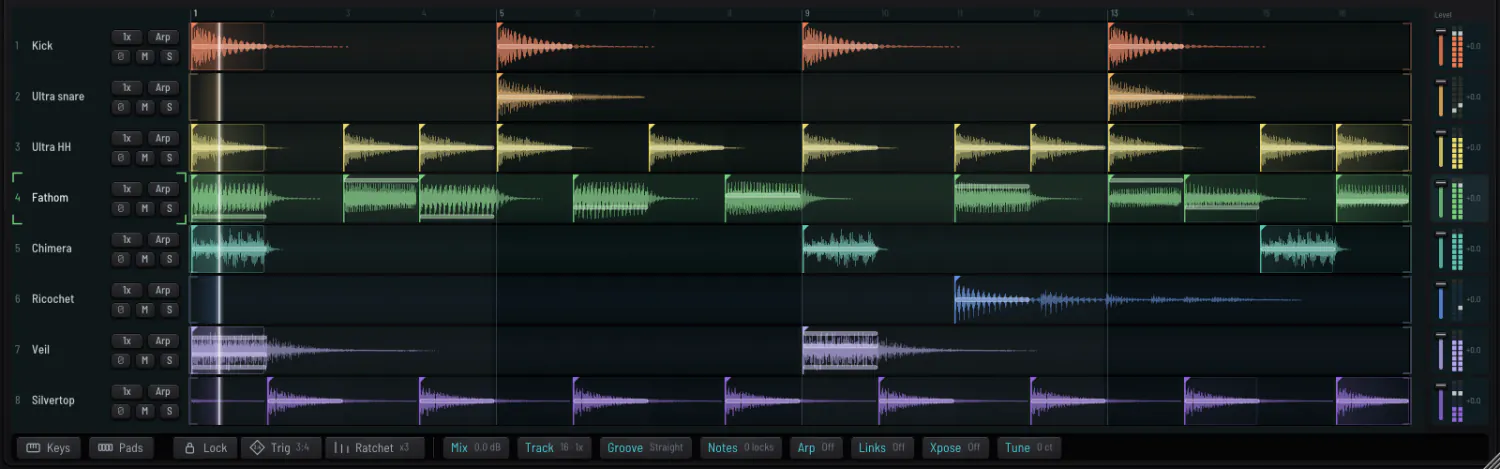
StepsProgramming a step
- Click a step to turn it on or off.
- Drag up or down to set its velocity. Harder is brighter as well as louder.
- Right-click for the step's menu: ratchet, condition, length, accent, arpeggiate, copy, paste, bounce.
- Click a name twice to open the track's piano roll.
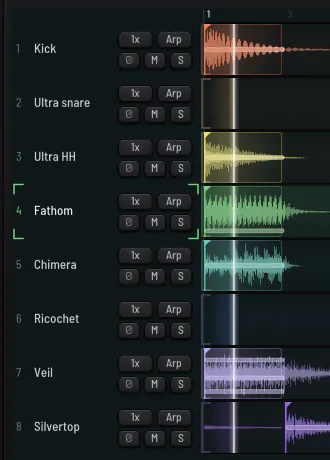
1x is the track's speed: try 1.5x for triplets against the others. The number is the track's transpose in semitones. Right-click a name for the track's menu, which includes PITCH (a drum played away from its note keeps its length, or plays faster and slower like a sample) and FREE, which lets a drum differ from hit to hit the way a real one does.
ToolsLock, trig, ratchet

The note menuNote menu
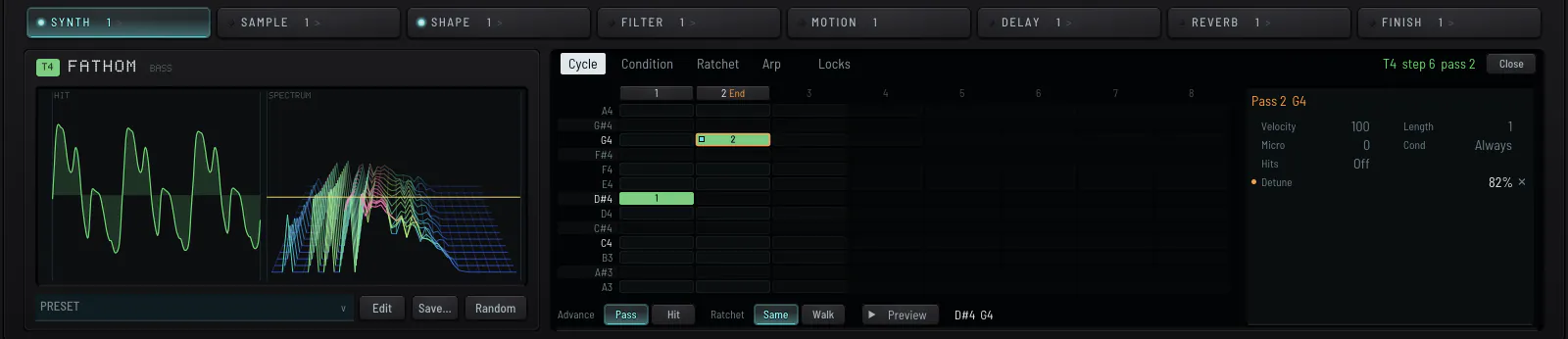
Point at a note and five chips rise over its step: Cycle, Cond, Ratchet, Arp and Locks. A chip that is set shows its value. Click one and its editor opens in the rack's screen.

Note cycle
A step can play something else each time it comes round. Each time is a pass. An order can be up to eight passes long, and each pass has its own pitch, velocity, length, ratchet and locks. Nothing in it is random.
Piano rollPiano roll
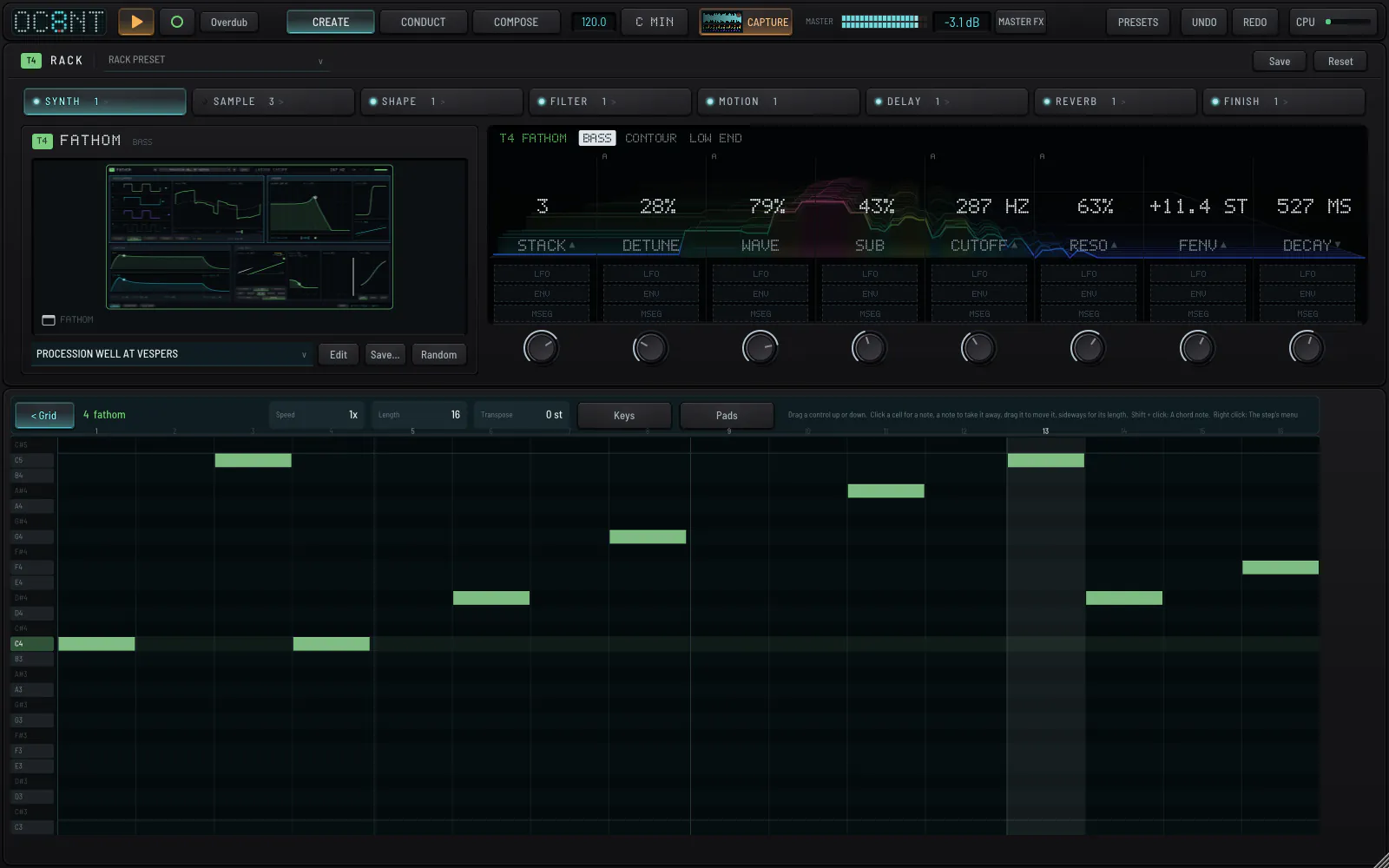
Click to add notes, drag to move them, drag sideways for length, shift-click for a chord. The roll and the grid are the same pattern.
Keys and padsKeys and pads
Keys plays the selected track in the project's scale. Pads shows the Push's eight track pads: the height of your click is the velocity.