One window, three views
CREATE builds sounds and patterns. CONDUCT is for performing. COMPOSE arranges. Switch with the three keys at the top.
TracksEight tracks, sixteen steps
A track is a sound and a sixteen-step pattern. The eight tracks play together as one pattern, and a project holds eight patterns. There is no paging: all eight tracks and all sixteen steps are on one screen.
Every track has the same chain of eight stages. A stage does nothing until you turn it up, so a new track is just its machine.
- Synth
- Sample
- Combine
- Shape
- Filter
- Delay
- Reverb
- Finish
CREATEThe window
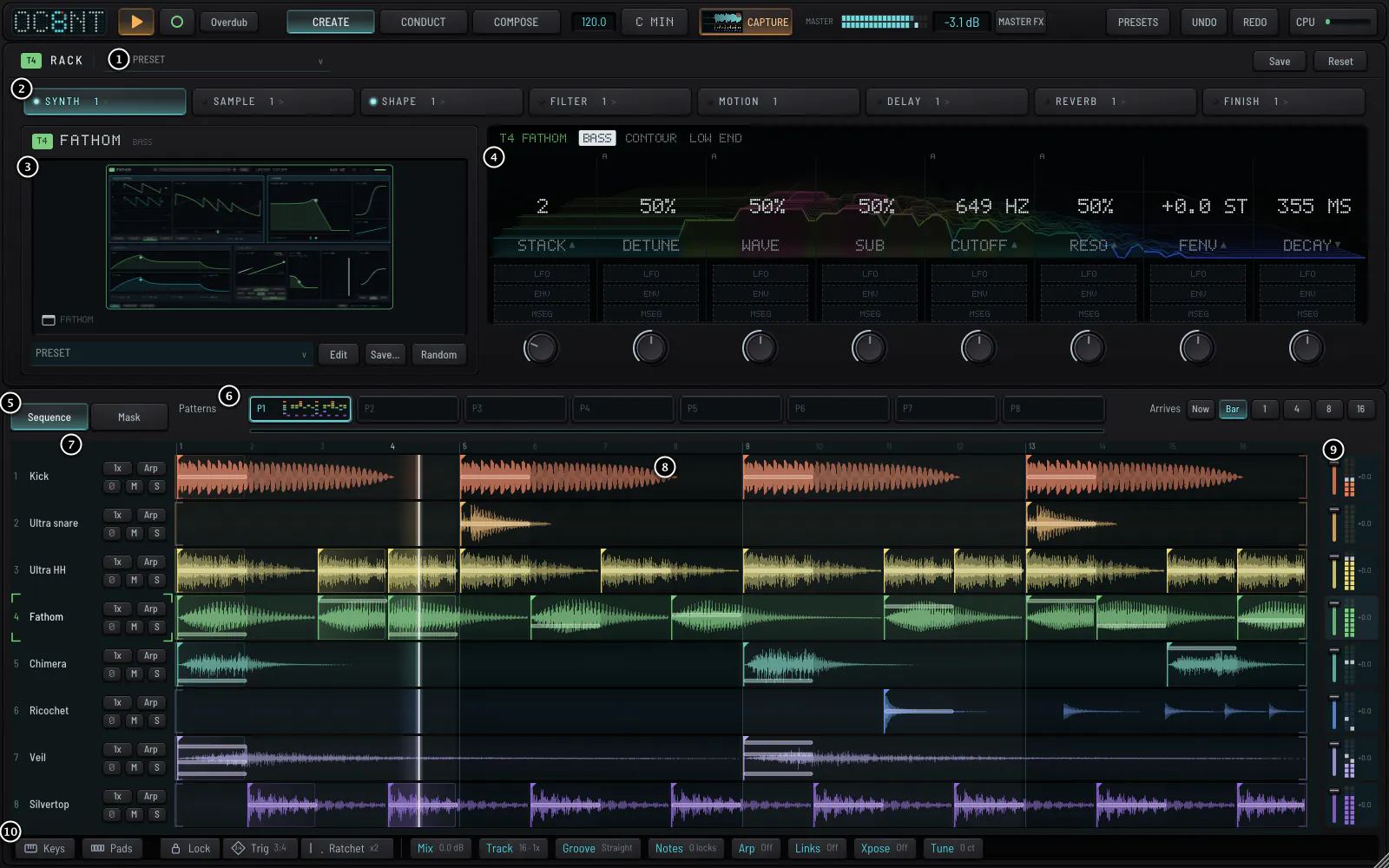
- The rack header the track's colour chip and number, a preset for the whole track, Save and Reset.
- The stage tabs the eight stages of the selected track. A lit dot means the stage is in the sound. Click again for its next panel.
- The sound card the machine's name (click it to change), a picture of the sound, its presets, Save and Random.
- The screen the eight knobs of the page, drawn like the Push display on purpose. + LFO and + ENV sit under each knob.
- Sequence and Mask two ways to see the lower half.
- Patterns P1 to P8, and Arrives: how a change lands.
- The track heads name, speed, arp, transpose, mute and solo.
- The step lanes each track's sixteen steps, drawn as the sound they play.
- The mixer a fader and a meter for each track.
- The bottom bar keys, pads, the step tools and the settings pages.
The top lineTop line
The same in every view.


- 8 the project menu: new, open, save, projects, track library, samples, preferences.
- PLAY and RECORD RECORD writes what you play on pads or keys into the steps.
- Tempo, scale, transpose the pads and keys play only notes of the scale.
- Capture RETRO CAPTURE keeps the last bars you played, recording or not.
- MASTER FX the chain on the whole mix.
- CPU how much of the computer OC8NT is using.
MasterThe master chain
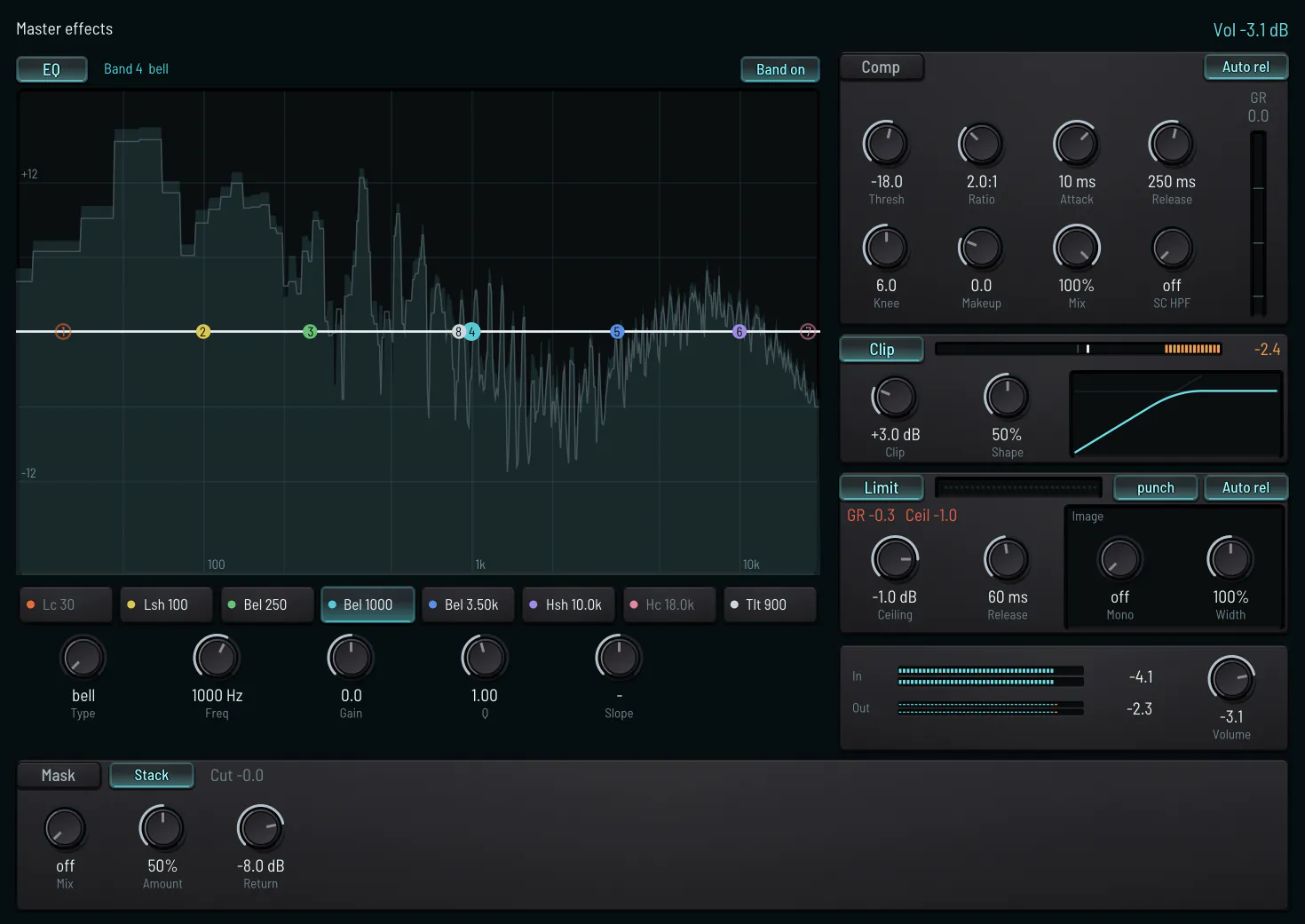
EQ, compressor, clip, limit and image, in that order. Clip shaves the top off a peak so the limiter does not turn the whole mix down for it. Limit has two characters: punch leaves the low end alone when a bright hit lands on it; classic does not. Image is width for the whole mix, and a mono key that keeps everything below a frequency in the middle.